A domain name is not just a web address — it is your digital identity, brand anchor, email infrastructure, and SEO asset. When a domain expires, the impact can range from temporary website downtime to permanent loss of brand ownership.
This guide explains what actually happens after expiration, the grace and redemption timelines, and the exact recovery steps — written with technical clarity and practical experience.
Why Domain Expiration is a Serious Business Risk?
When your domain expires:
- Your website stops resolving
- Business emails stop working
- Subdomains and APIs break
- SEO rankings begin to decline
- Your domain may be acquired by someone else
Search engines treat domain reliability as a trust signal. Even short disruptions can affect crawl frequency and indexing stability.
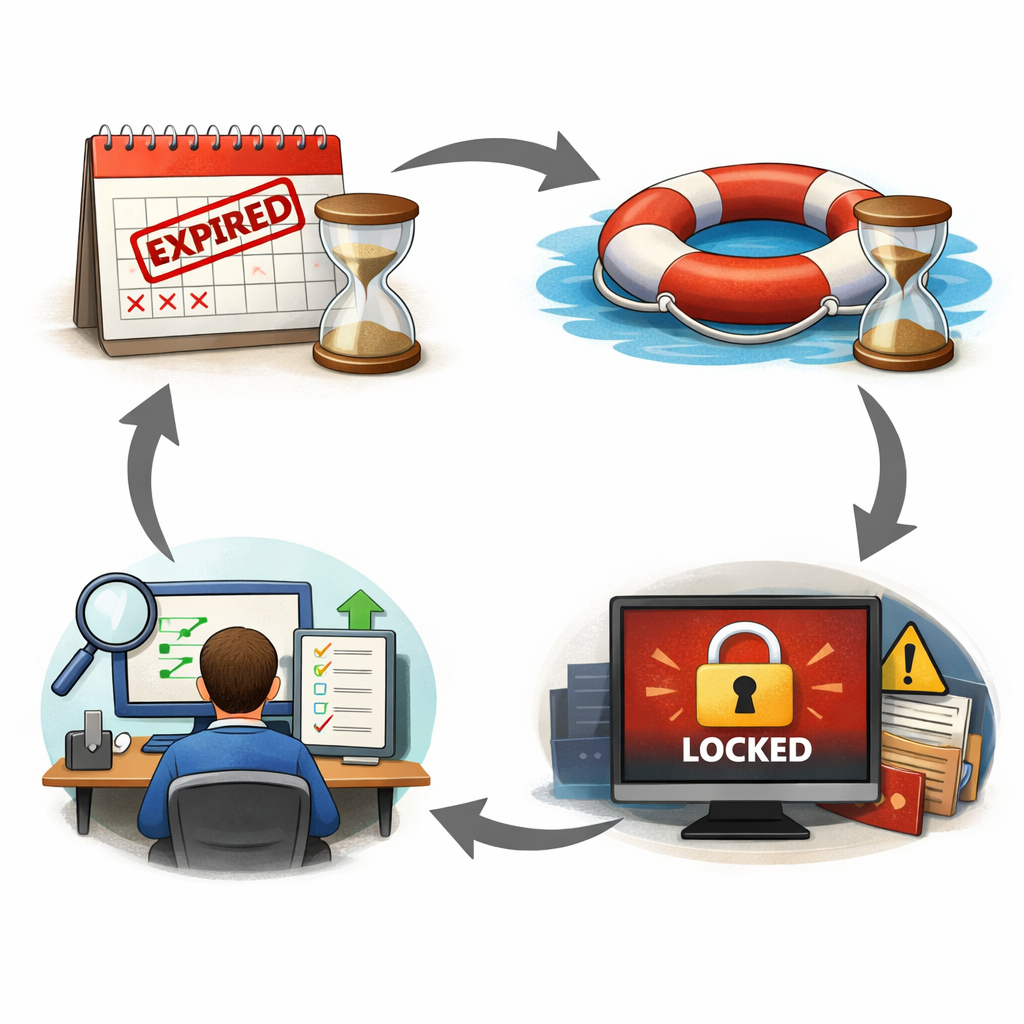
What Happens When a Domain Expires? (Lifecycle Breakdown)
Although timelines vary slightly by TLD (.com, .in, .org, etc.), most domains follow this general lifecycle.
1️⃣ Expiration Date (Day 0)
On the expiration date:
- The domain stops renewing automatically (if auto-renew is off or billing fails)
- DNS may stop resolving
- Hosting services tied to the domain may become inaccessible
Some registrars temporarily park the domain and display ads.
2️⃣ Grace Period (Typically 0–30 Days)
Most registrars provide a Grace Period.
Key Characteristics:
- The domain owner can renew at the normal renewal price
- The website may or may not stay active
- The domain is not yet available to the public
- Emails may already be disrupted
This is the safest window for recovery.
3️⃣ Redemption Period (Typically 30 Days After Grace)
If not renewed during the grace period, the domain enters Redemption.
What changes:
- The website is fully offline
- Domain removed from zone file
- Renewal cost increases significantly (redemption fee applies)
- SEO signals weaken
Redemption fees are often higher because the registrar must restore the domain from deletion status.
4️⃣ Pending Delete (About 5 Days)
After redemption:
- No renewal or recovery possible
- Domain locked for deletion
- Waiting period before public release
At this stage, recovery is no longer possible.
5️⃣ Public Availability
Once released:
- Anyone can register the domain
- Domain investors and bots often monitor high-value names
- You may permanently lose ownership
SEO Impact of an Expired Domain
From an SEO perspective, domain expiration can trigger:
- Crawling errors (DNS failure, server not found)
- De-indexing over prolonged downtime
- Loss of keyword rankings
- Backlink equity dilution
- Loss of trust signals
If another party registers your domain and publishes unrelated content, your brand reputation may suffer.
Email & Operational Impact
Many businesses underestimate email disruption.
When a domain expires:
- MX records stop resolving
- Incoming emails bounce
- Outgoing mail fails authentication (SPF/DKIM/DMARC)
- CRM integrations break
- Payment gateways and APIs may stop working
For SaaS or e-commerce businesses, this can cause direct revenue loss.
How to Recover an Expired Domain (Step-by-Step)
Step 1: Check Domain Status
Use your registrar dashboard to verify whether the domain is:
- In the Grace Period
- In Redemption
- Pending Delete
- Already released
Step 2: Renew Immediately (if in Grace Period)
- Pay the standard renewal fee
- Verify DNS records are restored
- Clear CDN cache if used
- Test website and email services
Step 3: Redemption Recovery
If in redemption:
- Pay redemption fee + renewal fee
- Wait for registrar restoration (24–72 hours typically)
- Reconfigure DNS if required
Step 4: If Domain Is Already Released
If someone else registers your domain:
- Attempt to repurchase (if listed for sale)
- Consider legal action only if trademark infringement applies
- Immediately secure alternative domain variations
Preventing Domain Expiration (Best Practices)
✔ Enable Auto-Renew
Keep auto-renewal active with a valid payment method.
✔ Register for Multi-Year Terms
3–5-year registrations reduce risk.
✔ Use Domain Monitoring Alerts
Set calendar reminders and SMS/email alerts.
✔ Keep WHOIS Contact Information Updated
Expired emails can prevent renewal notifications.
✔ Use a Centralized Domain Management System
Especially important for businesses managing multiple domains.
Domain Expiration & Security Risks
Expired domains are often targeted for:
- Phishing campaigns
- Spam email attacks
- Malware distribution
- Brand impersonation
If malicious actors acquire your domain, your brand credibility can suffer significantly.
Special Note on Different TLD Policies
Policies vary by registry:
- Some country-code domains (.in, .uk, etc.) may have shorter grace periods.
- Premium domains may enter auction before full deletion.
- Registry-specific rules override general timelines.
Always verify your registrar’s official expiration policy.
Final Thoughts
A domain is a foundational digital asset. Once it expires, recovery becomes more complex and costly with each passing phase.
The safest strategy is proactive renewal management — not reactive recovery.
For businesses operating e-commerce stores, SaaS platforms, or email-driven operations, even a short expiration window can result in measurable financial and SEO losses.
Treat domain renewal as infrastructure management — not as a routine payment reminder.
FAQ
What happens immediately after a domain expires?
When a domain expires, it stops renewing automatically. Depending on the registrar’s policy, the website may go offline, DNS records may stop resolving, and email services may fail. Most domains enter a grace period, during which the owner can renew at the standard renewal price.
How long is the domain grace period?
The grace period typically lasts 0–30 days, depending on the domain extension (.com, .net, .in, etc.) and the registrar. During this time, the domain is not yet available to the public, and the original owner can renew it without additional penalties.
What is the redemption period for a domain?
If the domain is not renewed during the grace period, it enters the redemption period, usually lasting about 30 days. Renewal is still possible, but a significant redemption fee is charged in addition to the regular renewal cost.
Can I recover my domain after the redemption period?
No. After redemption, the domain enters a pending delete phase (typically 5 days). During this stage, recovery is not possible. Once released, anyone can register the domain.
Does domain expiration affect SEO rankings?
Yes. If your website goes offline due to domain expiration:
- Search engines may encounter DNS errors.
- Crawling frequency decreases.
- Prolonged downtime can result in de-indexing.
- Backlink authority may weaken.
Short downtime may have a minor impact, but extended expiration can significantly harm rankings.
What happens to email when a domain expires?
Email services stop functioning because MX records fail to resolve. Incoming emails bounce, and outgoing emails fail authentication (SPF, DKIM, DMARC). This can disrupt business communication and customer trust.
How much does it cost to recover an expired domain?
If renewed during the grace period, you pay the standard renewal fee. During the redemption period, you must pay:
- Standard renewal fee
- Redemption restoration fee (varies by registrar)
Costs vary by registrar and domain extension.
Can someone else buy my expired domain?
Yes. Once the domain is fully deleted and released, it becomes publicly available. Domain investors and automated systems often monitor high-value names for re-registration.
How can I prevent my domain from expiring?
Best practices include:
- Enable auto-renew.
- Keep payment methods updated.
- Register for multiple years.
- Use renewal reminders.
- Maintain accurate contact details in your registrar account.
Is domain expiration the same for all TLDs?
No. Policies differ across domain extensions (.com, .org, country-code TLDs, premium domains). Always verify the expiration lifecycle defined by your registrar and registry.